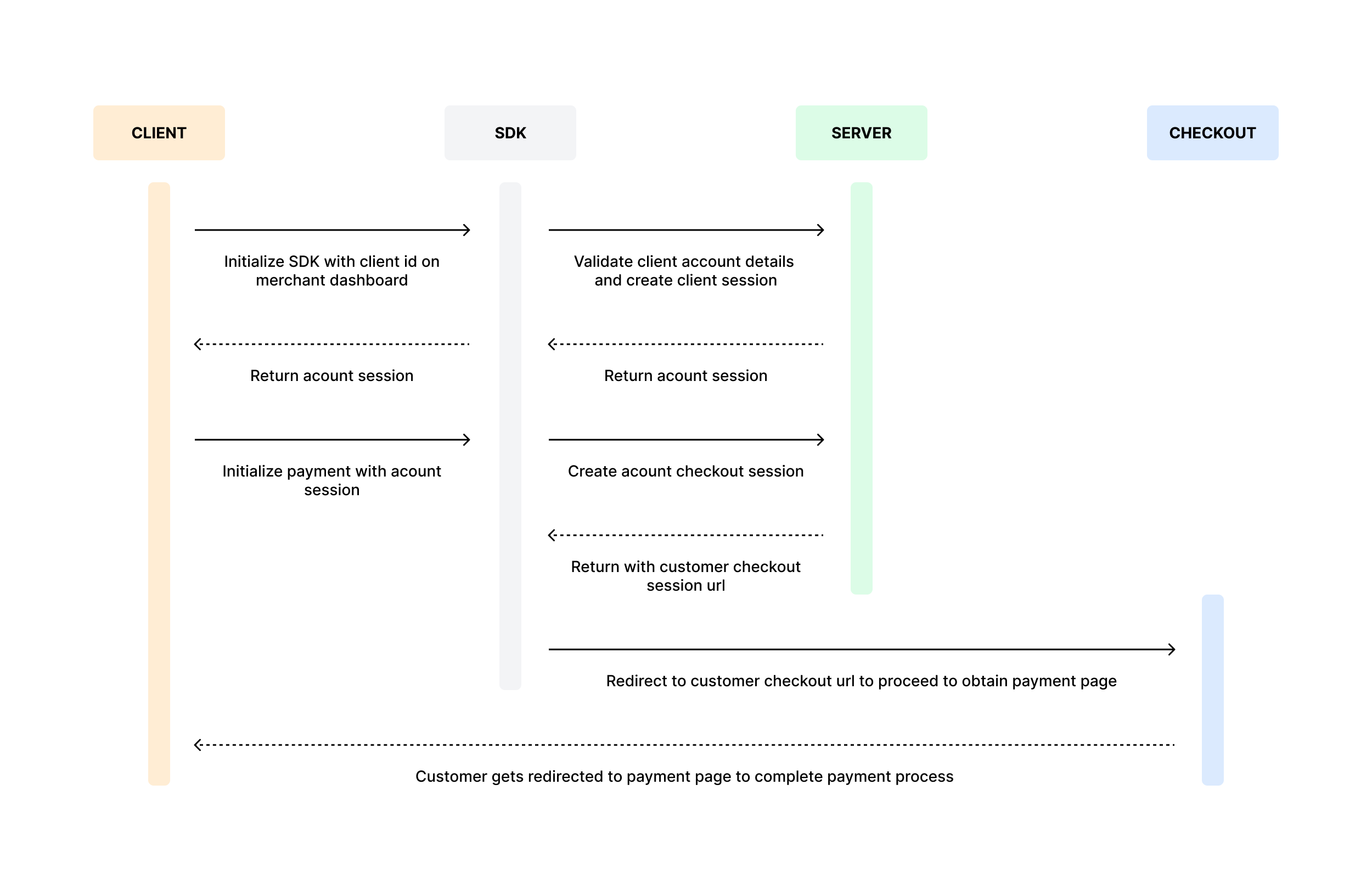
- For each customer payment, a new Checkout Session will be automatically created.
- First Time User: During the payment session, the user will automatically be redirected to AcountPay’s user dashboard to create an account and link their bank account to save their IBAN for future use. Once account linking is complete they will be redirected to their bank’s page to authorize payment.
- Returning User: The user will be redirected to AcountPay’s user dahsboard for login and then directly to their bank’s page to authorize payment
- This session includes a redirectUrl parameter, which allows our SDK to direct the customer to our hosted payment page.
Integration Flow:
Install SDK
Easily integrate our payment system into your application by installing the SDK. The SDK provides a streamlined way to interact with our API, handling authentication, session management, and payment processing efficiently.
Steps to Install:
- Choose your preferred programming language.
- Install the SDK using the package manager for your environment:
npm i @acountpay/pis-sdk - Configure the SDK with your API credentials.
Initialize Account in the SDK
To start using the SDK, you need to initialize your account. This involves:
- Importing the SDK into your project:
import AcountPay from '@acountpay/pis-sdk' - Providing your API credentials for authentication.
- Setting up the SDK instance to connect with our payment system.
Payment Process Overview
The payment process starts with the
initiateUserPaymentByEmail method, which securely creates a payment request and begins the transaction. This ensures that the payment details are processed safely and efficiently. Once the payment is completed successfully, a confirmation callback is triggered to send the user to the success callback URL.To use this method, your account must be properly set up with a valid client ID. This ensures that transactions are securely linked to your business and processed without interruptions.The entire payment process is seamlessly managed within our Checkout Page which the SDK will automatically redirect you to.